Administrator Website Jadyn Brandt Administrator Website Jadyn Brandt

Why isn’t AI responding?

Try simplifying your request or contact your RMI Client Technology Team.

Possible causes include:

  • Temporary connectivity issues

  • AI permissions not enabled for your account

  • AI token availability limits

  • Large requests still processing

Try simplifying your request or contact your RMI Client Technology Team if the issue continues.


Read More
Administrator Website Jadyn Brandt Administrator Website Jadyn Brandt

Can Administrators customize AI prompts?

Depending on your organization's configuration, Administrators may create reusable AI prompts to standardize analyses, summaries, and reports across the organization using a Google Drive or equivalent.

Depending on your organization's configuration, Administrators may create reusable AI prompts to standardize analyses, summaries, and reports across the organization using a Google Drive or equivalent.

Read More
Administrator Website Jadyn Brandt Administrator Website Jadyn Brandt

How is AI data protected?

SafetyOne AI operates within your organization's security boundaries and respects user permissions by leveraging private agents.

SafetyOne™ AI operates within your organization's security boundaries and respects user permissions by leveraging private agents.

AI responses are generated using only the information users are authorized to access.

Your AI interactions are not shared with other organizations using SafetyOne.

Read More
Administrator Website Jadyn Brandt Administrator Website Jadyn Brandt

How accurate are AI responses?

SafetyOne AI is designed to provide helpful summaries and recommendations based on the information available.

SafetyOne™ AI is designed to provide helpful summaries and recommendations based on the information available.

Training recommendations from SafetyOne AI should always be checked to ensure they are following local, state, and federal guidelines.

Read More
Administrator Website Jadyn Brandt Administrator Website Jadyn Brandt

Does AI replace safety professionals?

SafetyOne AI is designed to assist—not replace—human expertise.

No.

SafetyOne™ AI is designed to assist—not replace—human expertise.

AI can quickly identify trends, summarize information, and recommend actions, but important operational and safety decisions should always be reviewed by qualified personnel.

Read More
Administrator Website Jadyn Brandt Administrator Website Jadyn Brandt

Who can use AI?

AI permissions are only granted to Administrators.

AI permissions are only granted to Administrators.

Read More
Administrator Website Jadyn Brandt Administrator Website Jadyn Brandt

How can I get more AI tokens?

AI tokens can be purchased by contacting your Rancho Mesa Client Technology Team.

AI tokens can be purchased by contacting your Rancho Mesa Client Technology Team. Tokens will be posted to your account within one to two business days following the completion of purchase.

Read More
Administrator Website Jadyn Brandt Administrator Website Jadyn Brandt

What are AI Tokens?

AI Tokens are units used to process AI requests.

AI Tokens are units used to process AI requests.

Different requests consume different numbers of tokens depending on factors such as:

  • Amount of information analyzed

  • Complexity of the request

  • Size of attached documents

  • Length of AI responses

Your organization manages AI token availability and usage.

Token count can be viewed by administrators at the top of the menu panel on the SafetyOne web browser.

Read More
Administrator Website Jadyn Brandt Administrator Website Jadyn Brandt

Are my AI conversations private?

AI responses are generated using your organization's authorized data and respect user permissions.

Yes.

AI responses are generated using your organization's authorized data and respect user permissions.

Administrators only receive information they are authorized to access.

Your AI interactions are not shared with other organizations using SafetyOne.

Read More
Administrator Website Jadyn Brandt Administrator Website Jadyn Brandt

Does AI learn from my company's data?

SafetyOne AI analyzes the information available within your organization's SafetyOne dashboard during each request to generate relevant responses.

SafetyOne™ AI analyzes the information available within your organization's SafetyOne dashboard during each request to generate relevant responses.

It does not permanently "learn" from individual conversations in a way that changes future behavior without your organization's control.

AI responses are based on the data and permissions available at the time of the request.

Read More
Administrator Website Jadyn Brandt Administrator Website Jadyn Brandt

Can I ask AI questions in plain English?

No special commands or technical knowledge are required.

Yes.

SafetyOne™ AI supports natural language questions such as:

  • "What hazards are increasing this month?"

  • "Which project has the most Open Issues?"

  • "Summarize this inspection."

  • "Show me recurring forklift problems."

  • "What training is overdue?"

  • "Generate a Toolbox Talk from today's observations."

No special commands or technical knowledge are required.

Read More
Administrator Website Jadyn Brandt Administrator Website Jadyn Brandt

Can supervisors edit AI-generated Toolbox Talks?

Supervisors can review, edit, expand, or customize any Toolbox Talk before adding it to the platform and distributing it to employees.

Yes.

AI-generated content is intended to assist—not replace—your safety professionals.

Supervisors can review, edit, expand, or customize any Toolbox Talk before adding it to the platform and distributing it to employees.

Read More
Administrator Website Jadyn Brandt Administrator Website Jadyn Brandt

Can AI use observations to generate Toolbox Talks?

SafetyOne AI can analyze hundreds or thousands of safety observations and identify recurring themes.

Yes.

SafetyOne AI can analyze hundreds or thousands of safety observations and identify recurring themes.

It can then generate Toolbox Talks addressing the hazards employees are encountering rather than relying solely on generic industry content.

Read More
Administrator Website Jadyn Brandt Administrator Website Jadyn Brandt

Can AI generate Toolbox Talks from incidents?

AI can review incident reports and generate Toolbox Talks.

Yes.

AI can review incident reports and generate Toolbox Talks focused on:

  • Root causes

  • Lessons learned

  • Prevention strategies

  • Corrective actions

  • Similar hazards

This helps organizations immediately reinforce learning after an incident occurs.

Read More
Administrator Website Jadyn Brandt Administrator Website Jadyn Brandt

Can AI generate Toolbox Talks?

SafetyOne AI can create customized Toolbox Talks using information from your organization's own data.

Yes.

SafetyOne™ AI can create customized Toolbox Talks using information from your organization's own data.

Instead of generic safety topics, AI can generate discussions based on actual conditions affecting your workforce.

Read More
Administrator Website Jadyn Brandt Administrator Website Jadyn Brandt

Can AI recommend additional training?

SafetyOne AI can identify trends within observations, inspections or incidents and recommend training topics that may help reduce future risk.

Yes.

SafetyOne™ AI can identify trends within observations, inspections or incidents and recommend training topics that may help reduce future risk.

Recommendations assist managers in making informed training decisions but should always be reviewed before assignment.

Read More
Administrator Website Jadyn Brandt Administrator Website Jadyn Brandt

What kinds of information can AI analyze?

SafetyOne AI analyzes structured information stored within your SafetyOne environment

SafetyOne AI analyzes structured information stored within your SafetyOne environment, including:

  • Safety inspections

  • Incident reports

  • Near misses

  • Equipment inspections

  • Environmental inspections 

  • Corrective actions

  • Historical trends

Read More
Administrator Website Jadyn Brandt Administrator Website Jadyn Brandt

What is SafetyOne™ AI Data Analytics?

Rancho Mesa now offers GPT-5.1-powered SafetyOne™ AI analysis capabilities across the following modules: Observations and Mobile Forms. AI analysis for Toolbox Talks and Trainings will be available in future releases.‍

Rancho Mesa now offers GPT-5.1-powered SafetyOne™ AI analysis capabilities across the following modules: Observations and Mobile Forms. AI analysis for Toolbox Talks and Trainings will be available in future releases.
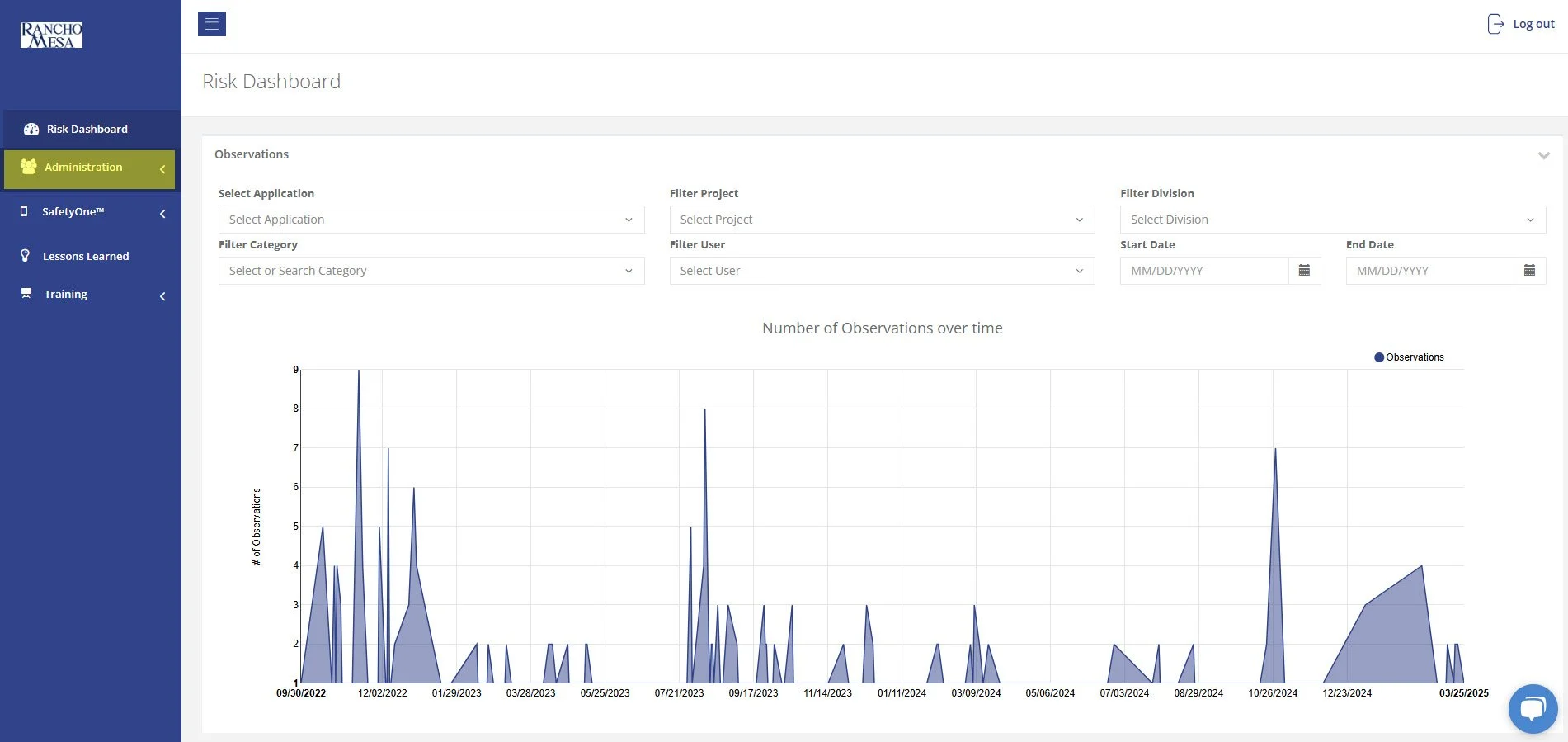
The AI Analysis is embedded directly inside your SafetyOne Administrator website to help you:

  • Summarize large volumes of reports

  • Identify recurring hazards and trends

  • Draft toolbox talks from real jobsite data

  • Generate executive summaries

  • Highlight root causes

  • Turn structured tables into readable narratives.

Read More
SafetyOne™ Platform Jadyn Brandt SafetyOne™ Platform Jadyn Brandt

What functions are available through the new training icon?

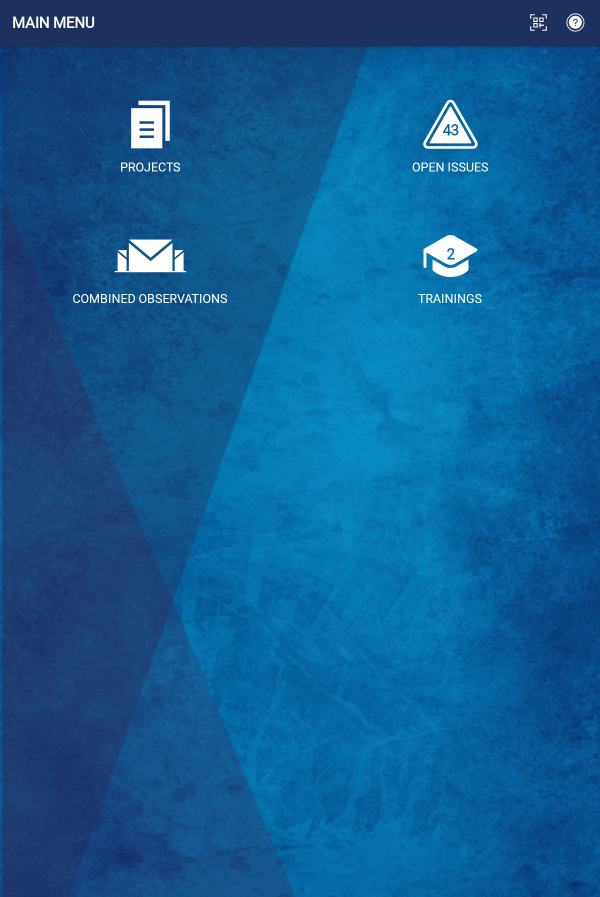
The Training icon allows mobile app users to quickly access the Learning Management System within the SafetyOne™ platform.
The Training icon allows mobile app users to quickly access the Learning Management System within the SafetyOne™ platform.

SafetyOne App home screen with Training Icon

Through the Trainings icon, SafetyOne Administrators can complete their own trainings and assign trainings to their employees, while Supervisors, Employees, and Field Employees can complete the trainings assigned to them. 

When a mobile app user is assigned a training, the icon will  show the number of trainings they need to complete. 

When a mobile app user opens  the Training icon,  the SafetyOne Learning Management System Perform tab will launch. Under the Perform tab, the mobile app user will be able to view the trainings that have been assigned and their progress. 

Similar to accessing the Learning Management System website, the toggle at the top of the screen can be used to view all trainings or incomplete trainings.  

Employees can also search for trainings by keyword using the search box. 

SafetyOne web browser application open to Learning Management System page. Perform tab is highlighted. All/Incomplete toggle is highlighted

For SafetyOne Administrators, the training icon allows them to view and perform training, similar to employees. 

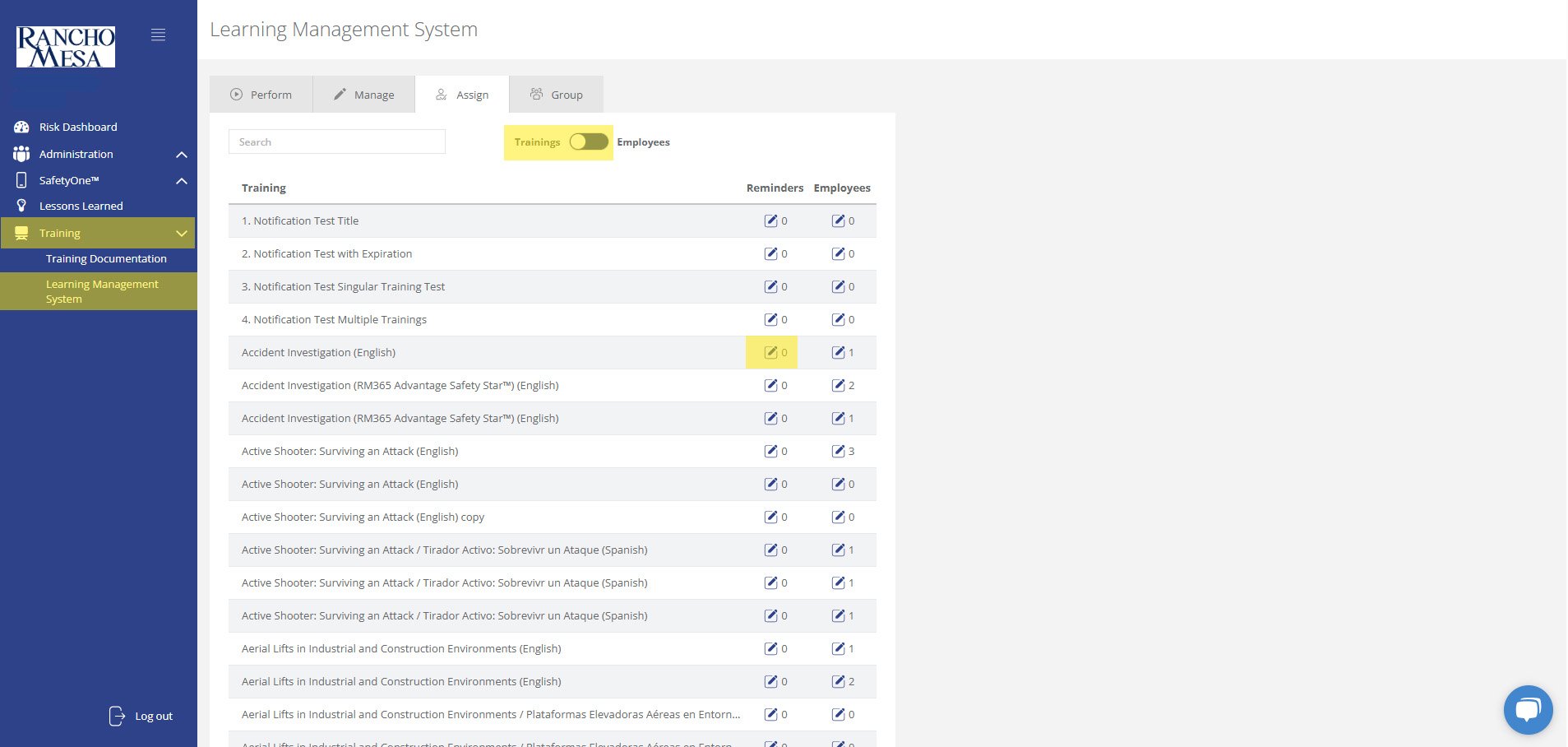
Administrators can also use the Manage, Assign, and Group tabs across the top of the screen to edit, adds, and assign trainings, along with setting up email reminders. 

SafetyOne web application open to Learning Management System page from Administrator view. Three tabs across the top are highlighted.
Read More
SafetyOne™ Platform Jadyn Brandt SafetyOne™ Platform Jadyn Brandt

How can I translate mobile forms and toolbox talks to other languages?

Mobile Forms and Toolbox Talks from the SafetyOne™ platform can be easily translated into multiple languages when accessed via QR code or a URL.
Mobile Forms and Toolbox Talks from the SafetyOne™ platform can be easily translated into multiple languages when accessed via QR code or a URL.

Translate Mobile Forms

To translate mobile forms, the SafetyOne administrator or a Supervisor must first generate a QR code or URL for the form, then employees or third-parties will scan the QR code on their mobile device or click on the URL from their computer to launch the form.

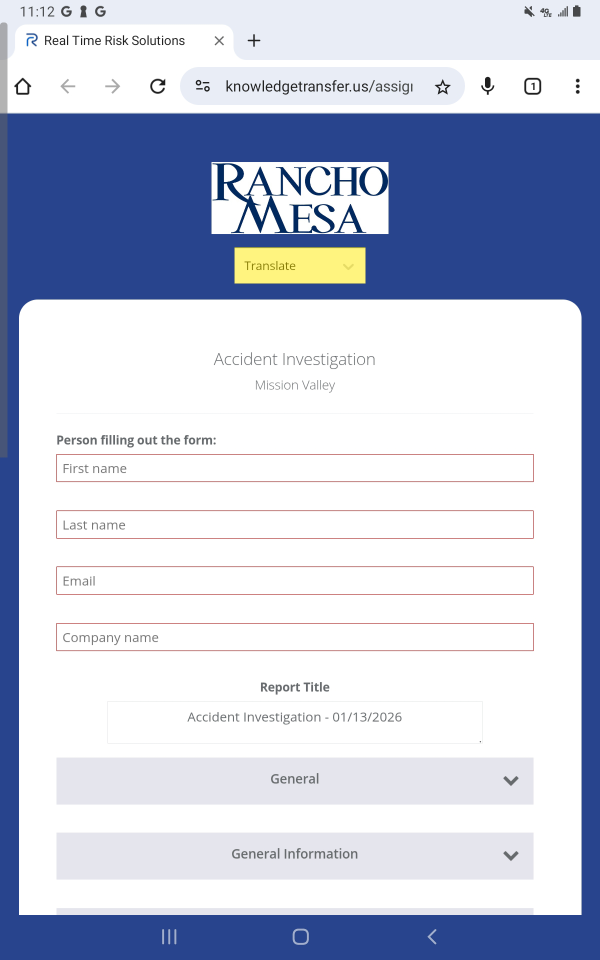
The mobile form will open on the device. At the top of the form, click the dropdown menu titled “Translate.”

SafetyOne Accident Investigation mobile form open on web browser. Translate button is highlighted.

Select the language in which you want the page translated.

SafetyOne Mobile Form open on web browser. Translate button is selected and showing drop-down list of languages. "Spanish" is highlighted.

A confirmation dialog box will appear. When prompted, click “OK.” This will translate the entire form into the chosen language.

SafetyOne Mobile Form open on web browser. "Translate page?" dialogue box on screen. "OK" button is highlighted.

The page will be translated and can be completed and submitted in their chosen language.

SafetyOne Mobile Form open in web browser. Mobile Form has been translated to Spanish

Note: the information that is collected on the form will be displayed exactly as the user entered it on the report generated by SafetyOne.

Translate Toolbox Talks

To translate toolbox talks, SafetyOne Administrators or Supervisors must provide the toolbox talk attendee with a QR code to access the toolbox talk content.

Like with mobile forms, employees can scan the QR code to open the toolbox talk and use the dropdown menu at the top of the page to translate the content.

Note: the translation function can only be accessed by users through the web browser. Mobile App users do not have access to the translate function.

Read More