
How can I translate mobile forms and toolbox talks to other languages?
Mobile Forms and Toolbox Talks from the SafetyOne™ platform can be easily translated into multiple languages when accessed via QR code or a URL.
Translate Mobile Forms
To translate mobile forms, the SafetyOne administrator or a Supervisor must first generate a QR code or URL for the form, then employees or third-parties will scan the QR code on their mobile device or click on the URL from their computer to launch the form.
The mobile form will open on the device. At the top of the form, click the dropdown menu titled “Translate.”
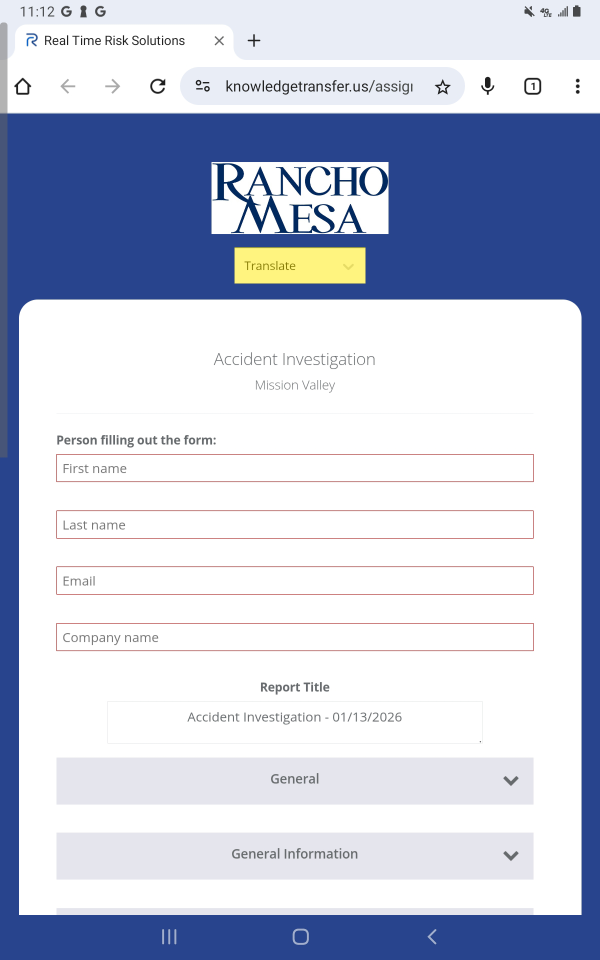
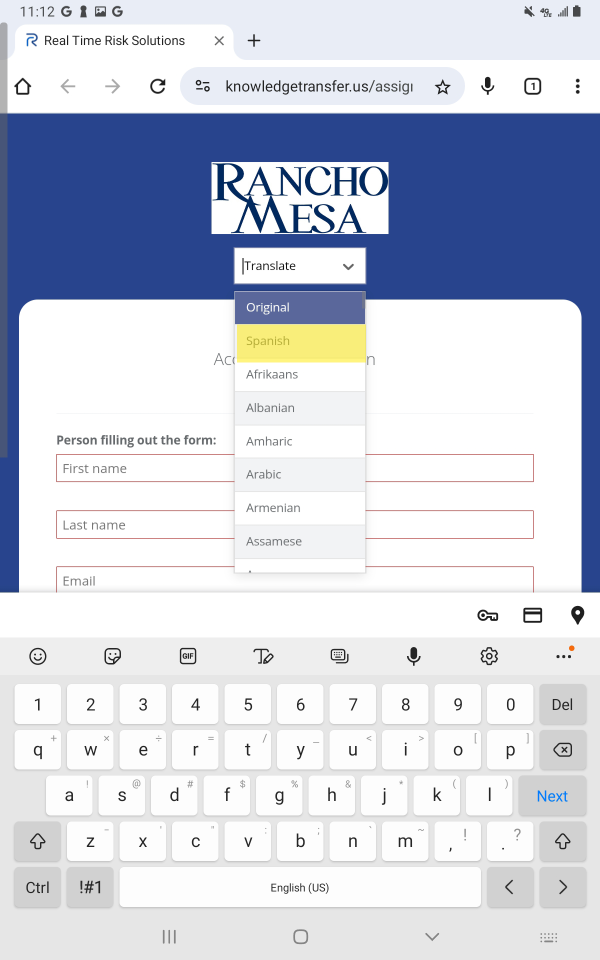
Select the language in which you want the page translated.
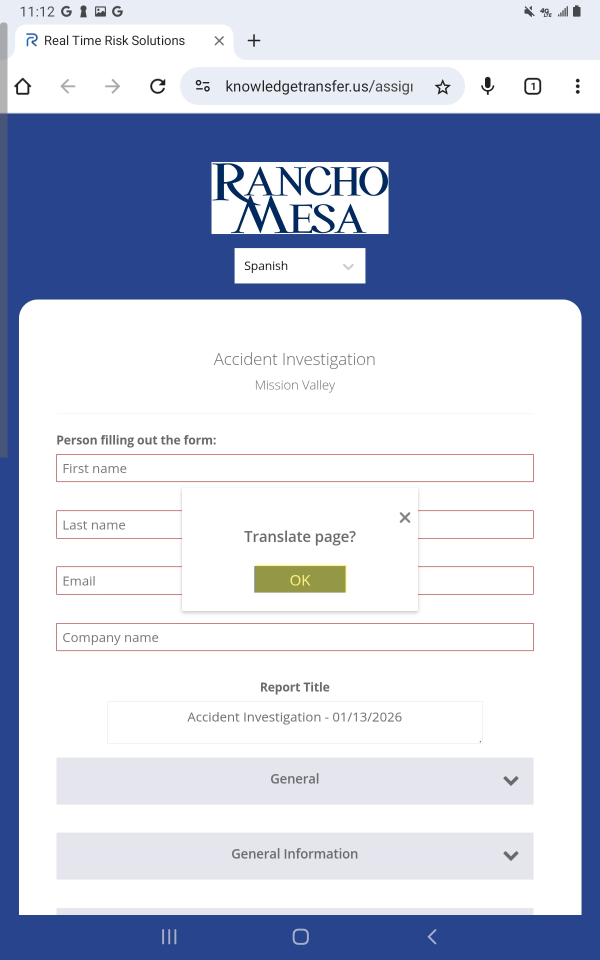
A confirmation dialog box will appear. When prompted, click “OK.” This will translate the entire form into the chosen language.
The page will be translated and can be completed and submitted in their chosen language.
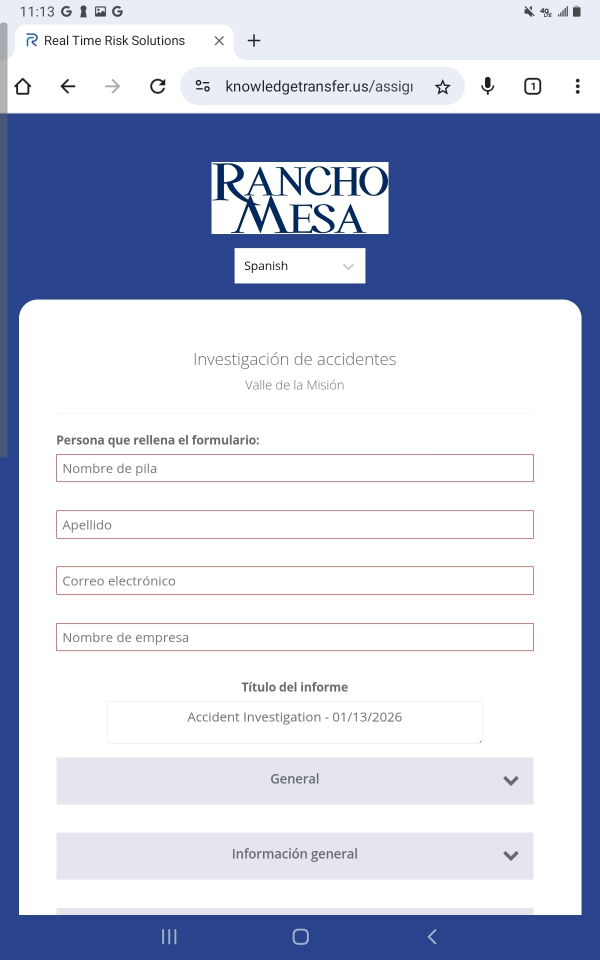
Note: the information that is collected on the form will be displayed exactly as the user entered it on the report generated by SafetyOne.
Translate Toolbox Talks
To translate toolbox talks, SafetyOne Administrators or Supervisors must provide the toolbox talk attendee with a QR code to access the toolbox talk content.
Like with mobile forms, employees can scan the QR code to open the toolbox talk and use the dropdown menu at the top of the page to translate the content.
Note: the translation function can only be accessed by users through the web browser. Mobile App users do not have access to the translate function.