How do I restore deleted training records?
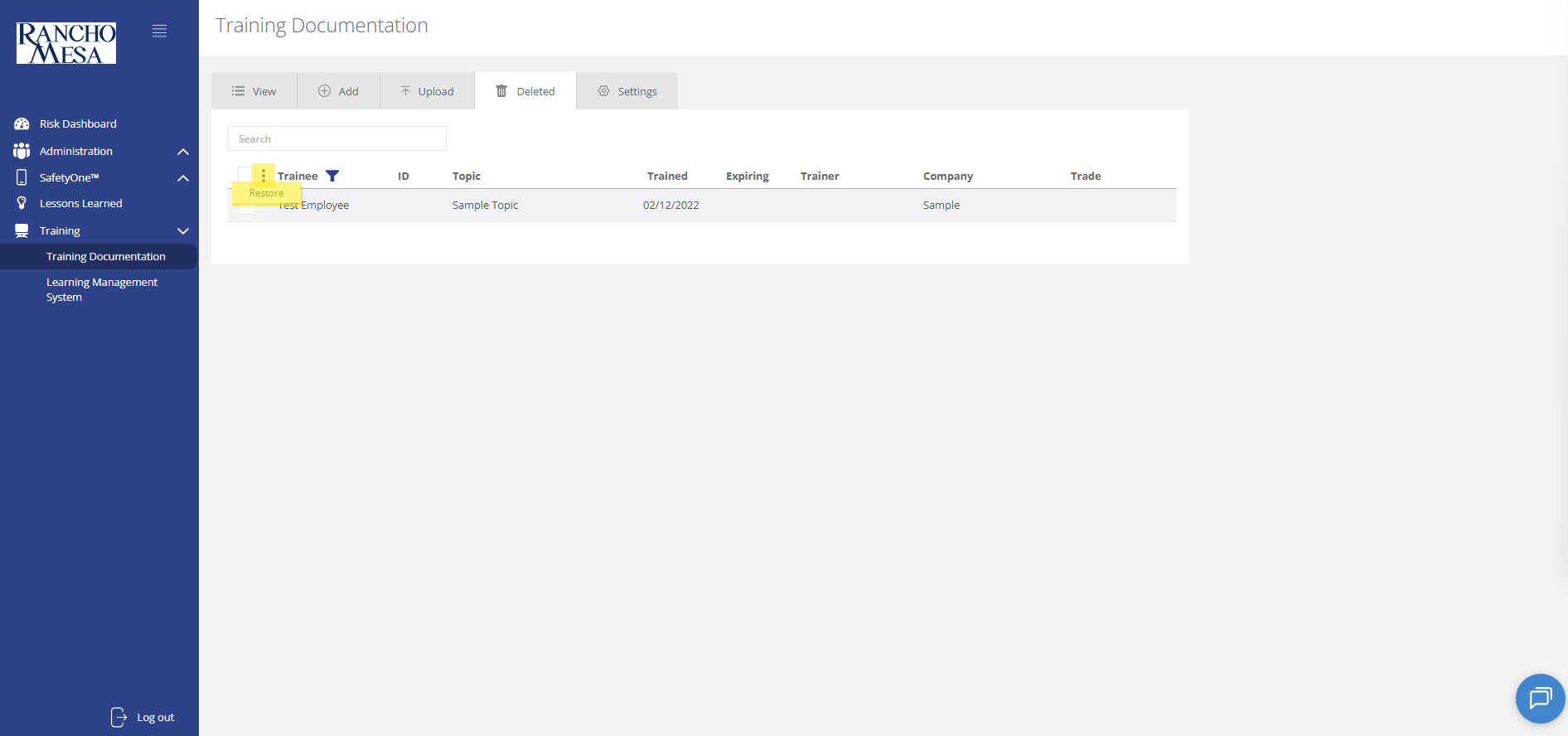
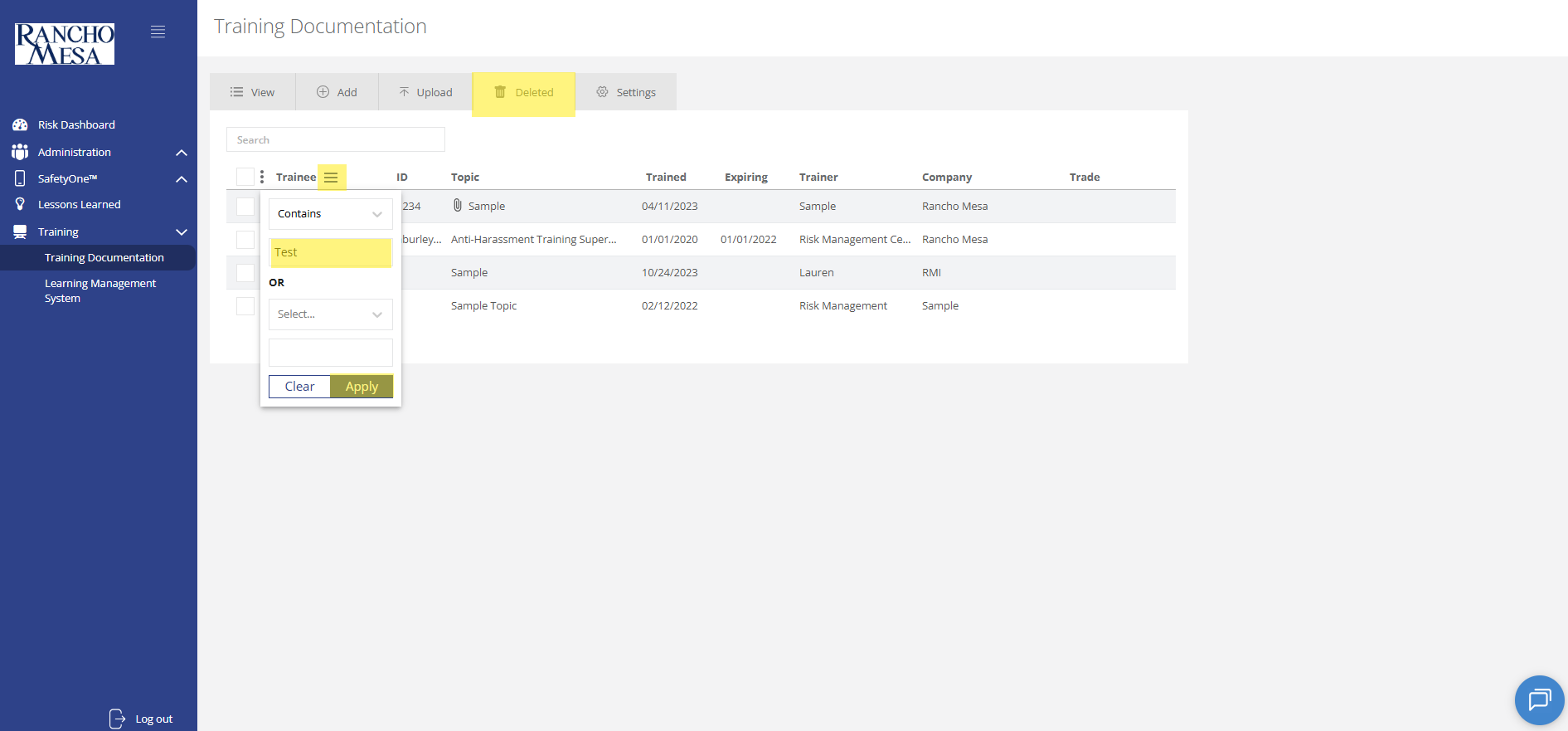
Deleted training records will be displayed on the “Deleted” tab.
First, locate the training record(s). You may also utilize the search box or the filter feature to find the training you want to restore.
To restore a single training record, check the box to the left of the training record.
Click the three dots next to the select-all check-box. Click “Restore.” A prompt box will appear and you will be asked if you want to restore the selected trainings. Click “Ok.”