How do I view training records?
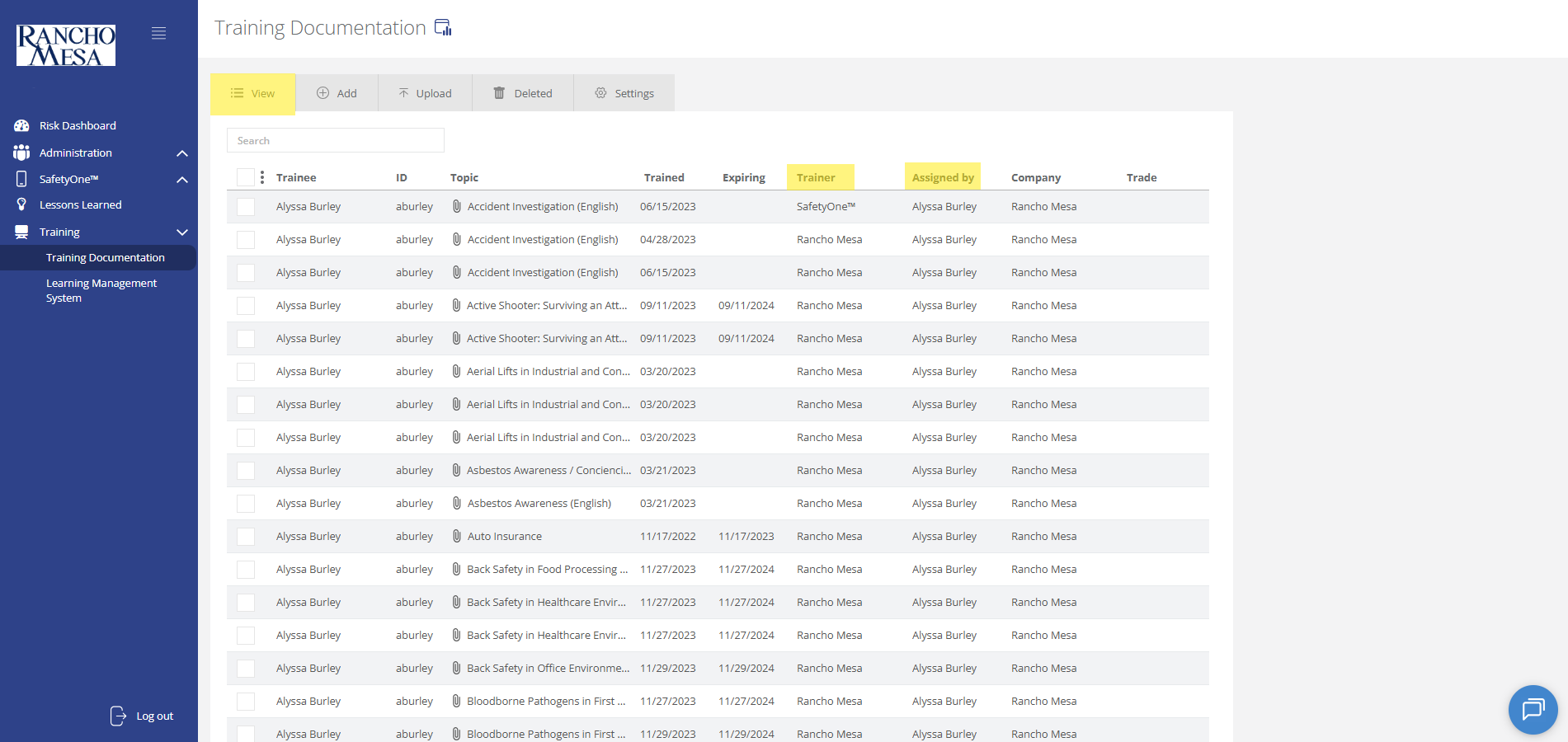
To view training documentation, click on the “Training” section in the navigation panel. Then, click on “Training Documentation.”
On the “View” tab, you will be able to view and search training records.
If a standard training from the library was completed through SafetyOne, the “Trainer” field will display “SafetyOne™.” If custom training content was uploaded by the administrator and the employee completed it through SafetyOne, the “Trainer” will display your company’s name. If the training record was manually added to SafetyOne, the “Trainer” will display the name entered in the “Trained By” field .
Training records prior to June 2025, may display “Rancho Mesa” as the Trainer instead of “SafetyOne” or your company name.
The “Assigned By” column displays the administrator or training manager who assigned the training to the employee.