
How do I schedule online training reminder emails?
Administrators can schedule training reminder emails through the SafetyOne™ website to help keep employees up-to-date with their necessary safety trainings.
Log in to the SafetyOne website, click on the “Training” section in the navigation panel. Then, click on “Learning Management System.”
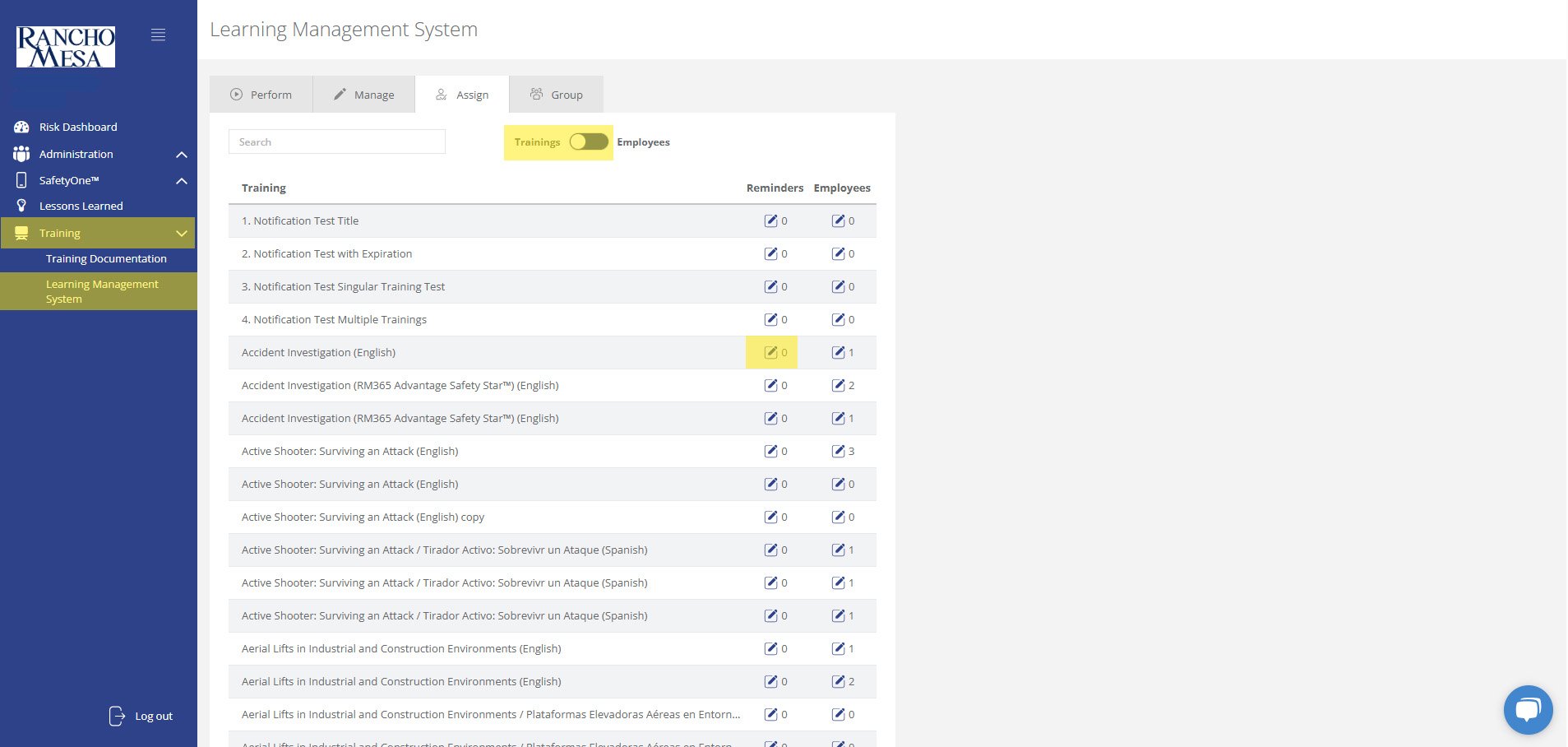
Click on the “Assign” tab at the top of the page. This will open a list of all available trainings. Make sure the toggle switch at the top of the page is set to “Trainings.”
For each training that you would like to send reminders, click the pencil icon in the “Reminders” column.
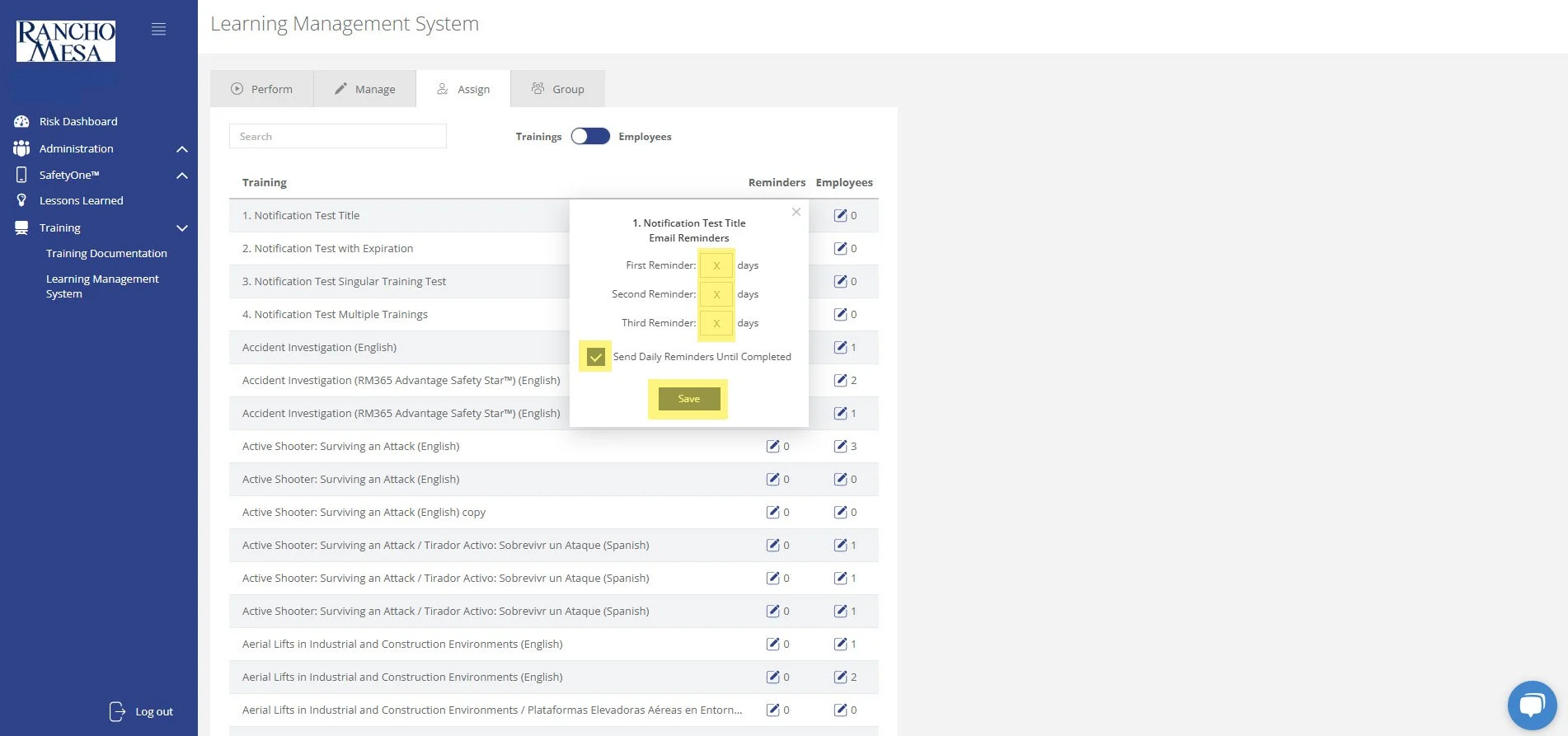
Enter the number of days after the training has been assigned that you would like the first, second and third email reminders to be sent and/or check the box to “Send Daily Reminders Until Completed”. Click “Save.”
In this example, if you assign an employee a training on January 1st and the first reminder is set for 7 days, the second reminder is set for 14 days, and the third reminder is set for 21 days, the employee will receive email reminders on the January 8th, 15th and 22nd if they haven’t completed the training. Furthermore, if you also check the “Send Daily Reminders Until Completed” box, the employee will receive an email reminder on January 23rd and every day after that until the training is completed.
The first, second, third and daily reminders can be used in any combination to suite your company’s training policy.
Once a reminder is setup for a training, all employees assigned to the training will receive the reminders based on the specific criteria until the employee has completed the training.
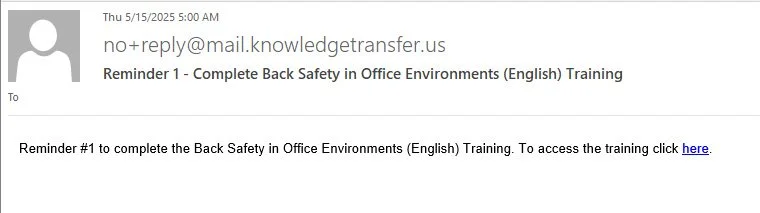
For example, if an employee was already assigned a training on January 1st and has not completed the training by the time the email reminders were setup on February 1st, the employee may receive email reminders depending on how they were setup.
If the first reminder was scheduled for 10 days, the second reminder was set for 25 days, and the third reminder was set for 45 days, and the “Send Daily Reminders Until Completed” box was not checked, the employee would only receive the third email reminder since they are based on the date the training was assigned. However, if the “Send Daily Reminders Until Completed” box was checked, the employee would receive the third email reminder and a daily reminder until the training was completed.