
How can I create a driver-specific toolbox talk group in SafetyOne™?
The driver-specific toolbox talks are available in your SafetyOne™ account. To make them accessible via the mobile app, you will need to assign them to a project/crew.
The driver-specific toolbox talks are available in your SafetyOne™ account. To make them accessible via the mobile app, you will need to assign them to a project/crew.
However, it is a best practice to first, create a toolbox talk group in the administrator website, then assign all 52 toolbox talks to the group. This will allow you to easily assign the entire group of toolbox talks to future projects/crews.
SETUP
1. Create a toolbox talk group.
From the administrator website, click on the “SafetyOne™” section. Then click on “Toolbox Talks” and then “Templates.” Add a new group and give it a name. We recommend naming the group something like “Driver Toolbox Talks” or “Driver Default Toolbox Talks.”
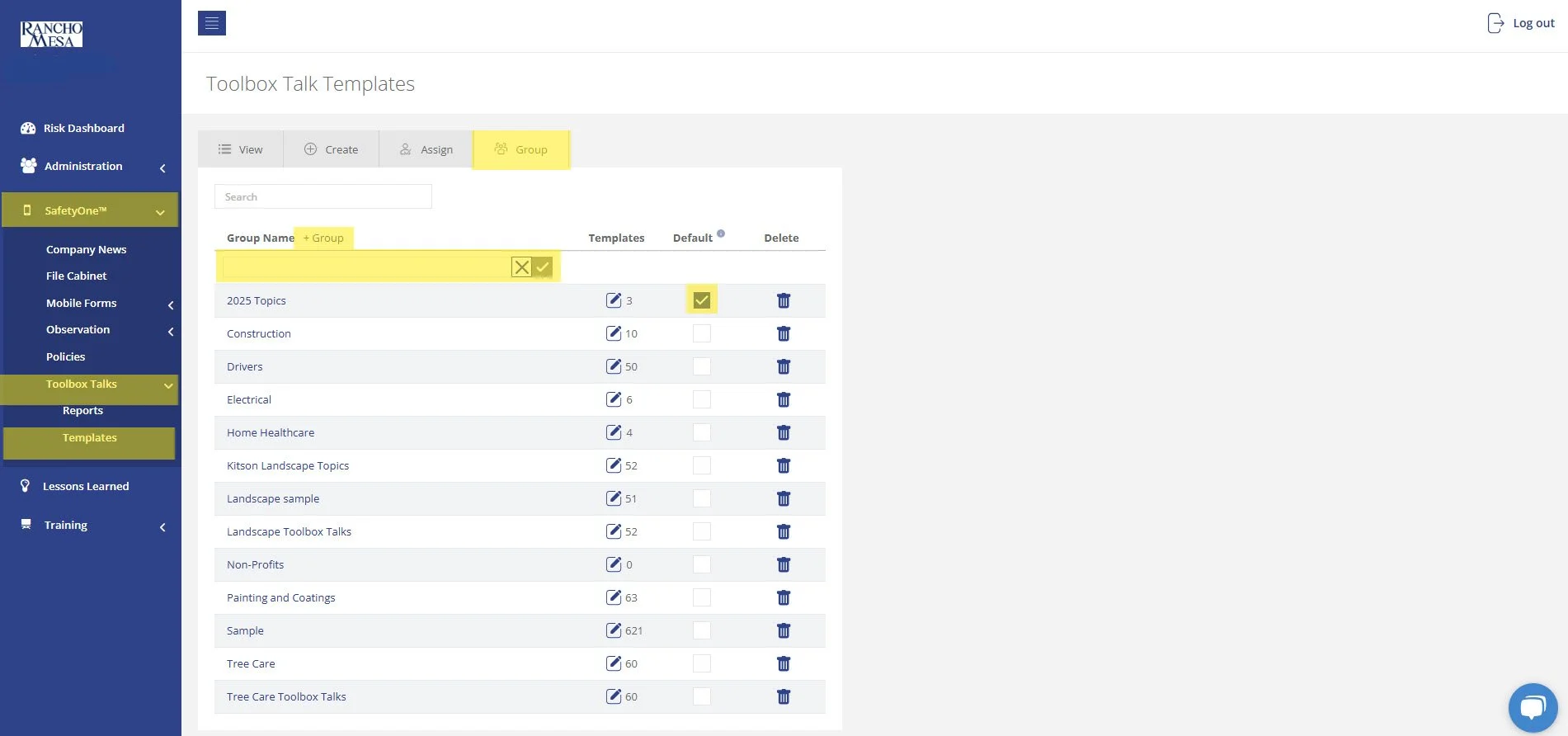
You can set the group to automatically assign these toolbox talks to all existing projects/crews by making it a default. Note, you can only have one default Toolbox Talk Group.
2. Assign toolbox talks to a group.
Now that the group has been created, assign the toolbox talks to the group. On the “Templates” page, locate the new group and click the edit button.
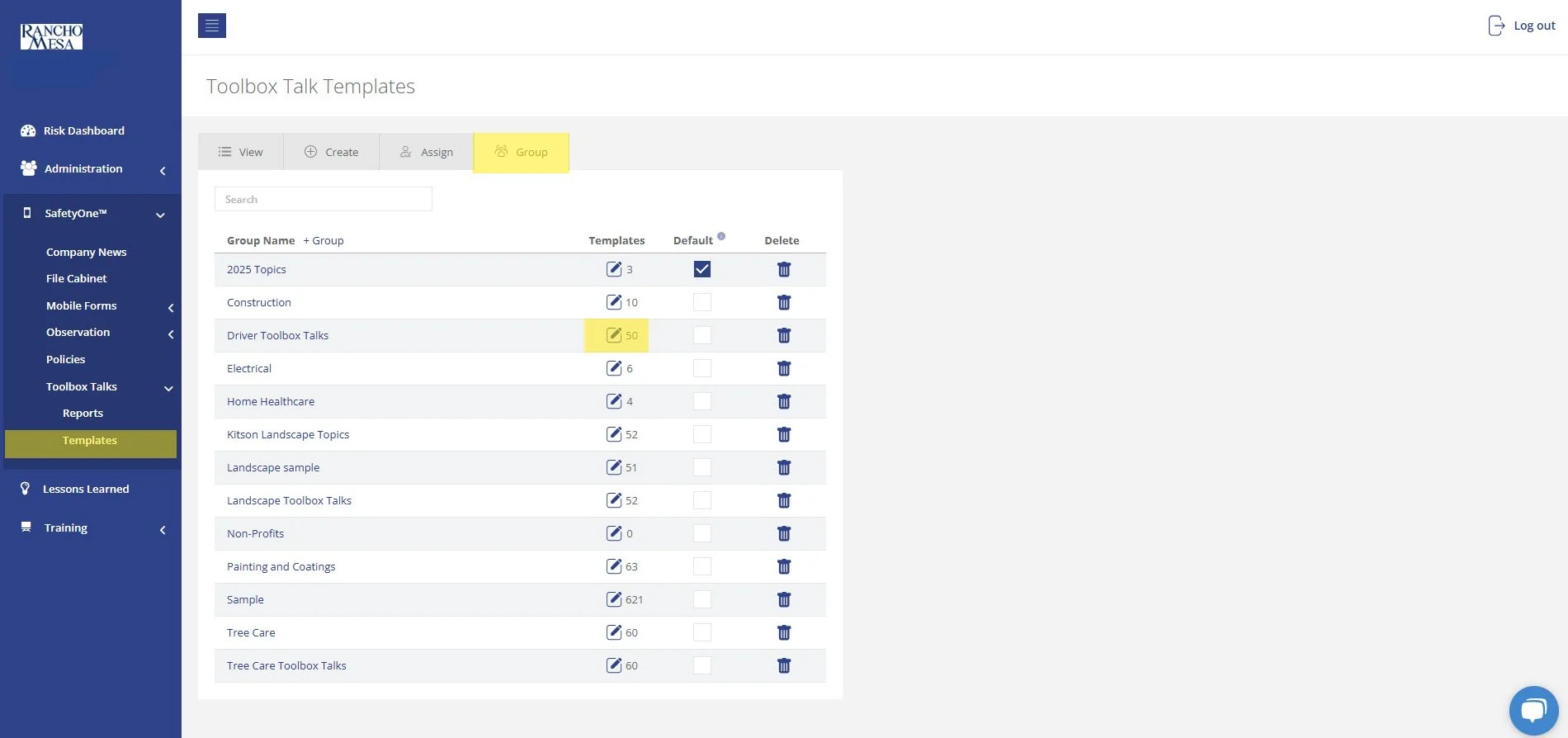
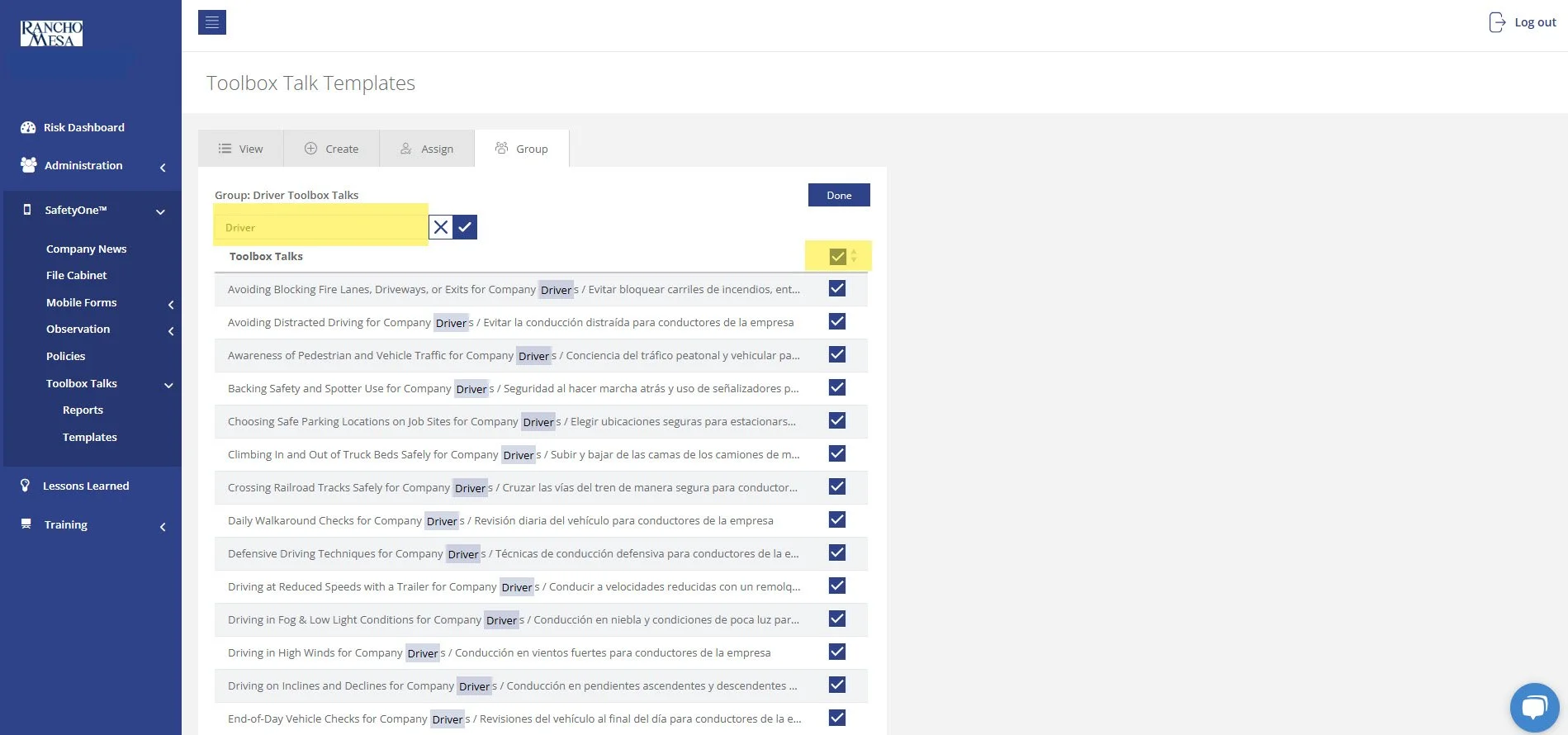
Filter the list of toolbox talks by using the search bar and entering the word “Driver.” This will display 50 driver-specific toolbox talks available in both English and Spanish.
You can assign all of the toolbox talks to this group using the check box at the top of the page. Or, pick and choose the individual topics by selecting their check box.
There are two additional driver-specific toolbox talks that can be found by searching “Driving.” They are:
Driving in Wet Conditions / Conducir Vehiculo En Condiciones Húmedas
Like Oil And Water, Drinking And Driving Do Not Mix / Como Agua Y Aceite, Beber Y Conducir No Mezclar
Select both by checking their boxes. Then, click “Done.”
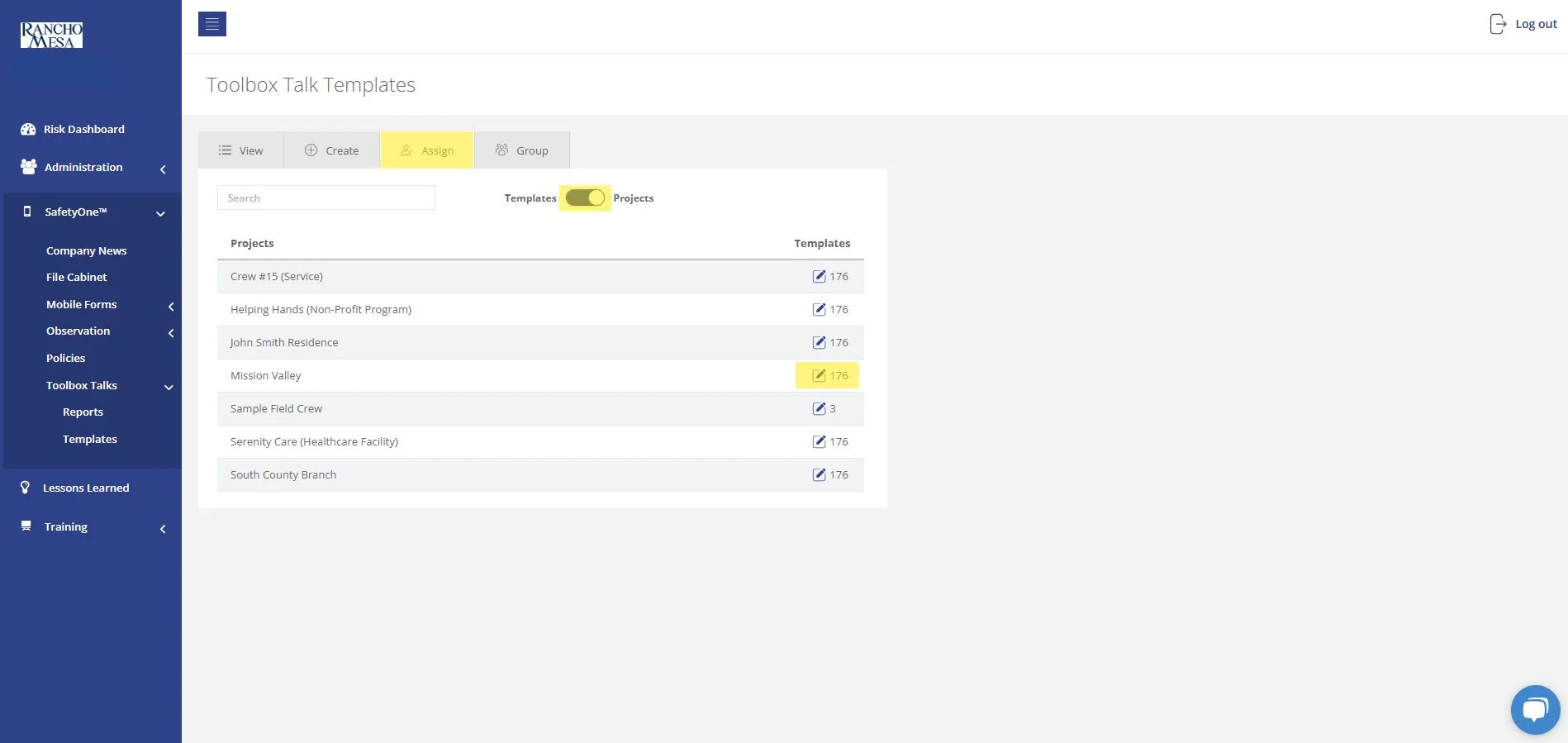
If the driver-specific toolbox talk group is checked as the default group, the toolbox talks will automatically be added to all projects. If the driver-specific toolbox talk group is not the default group, in order to make these toolbox talks available on the SafetyOne app, click on the “Assign” tab and then click the “Templates/Projects” toggle switch to show a list of your projects. Check the box next to the Project(s) you want to have access to the driver-specific toolbox talks in SafetyOne app.
Contact your Client Technology Coordinator for more information.
Depending on your organization's configuration, Administrators may create reusable AI prompts to standardize analyses, summaries, and reports across the organization using a Google Drive or equivalent.
SafetyOne AI operates within your organization's security boundaries and respects user permissions by leveraging private agents.
SafetyOne AI is designed to provide helpful summaries and recommendations based on the information available.
AI responses are generated using your organization's authorized data and respect user permissions.
SafetyOne AI analyzes the information available within your organization's SafetyOne dashboard during each request to generate relevant responses.
Supervisors can review, edit, expand, or customize any Toolbox Talk before adding it to the platform and distributing it to employees.
SafetyOne AI can analyze hundreds or thousands of safety observations and identify recurring themes.
SafetyOne AI can create customized Toolbox Talks using information from your organization's own data.
SafetyOne AI can identify trends within observations, inspections or incidents and recommend training topics that may help reduce future risk.
Rancho Mesa now offers GPT-5.1-powered SafetyOne™ AI analysis capabilities across the following modules: Observations and Mobile Forms. AI analysis for Toolbox Talks and Trainings will be available in future releases.
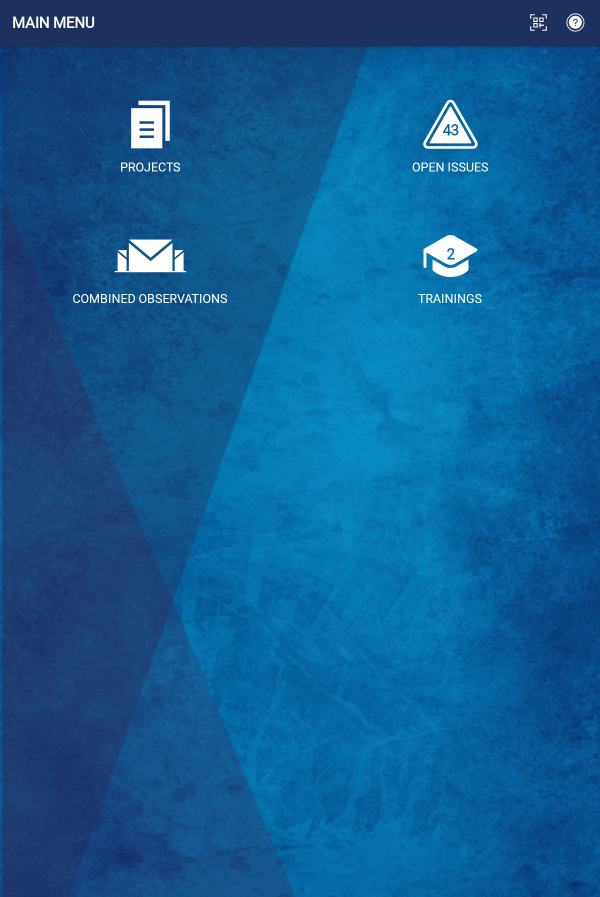
The Training icon allows mobile app users to quickly access the Learning Management System within the SafetyOne™ platform.
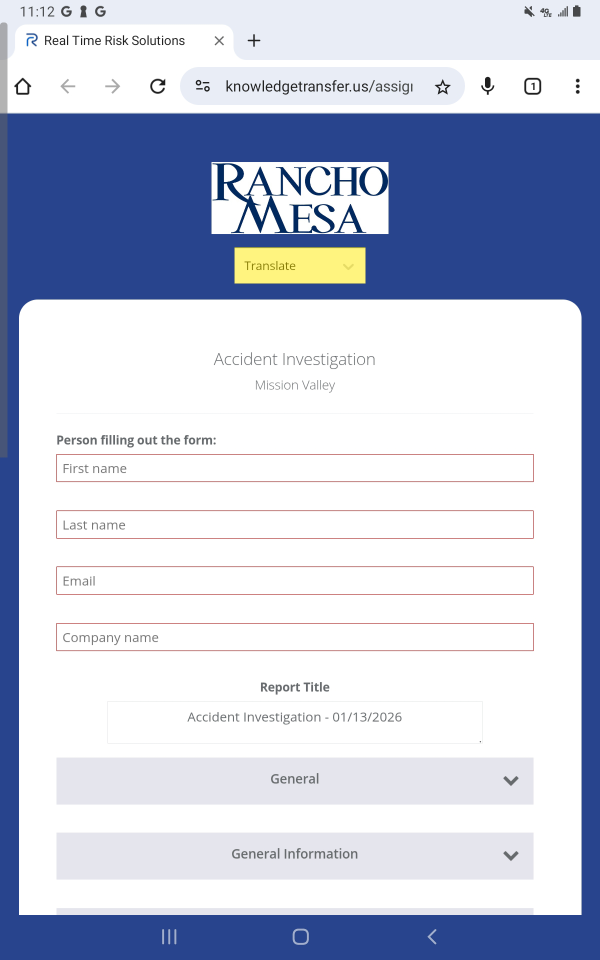
Mobile Forms and Toolbox Talks from the SafetyOne™ platform can be easily translated into multiple languages when accessed via QR code or a URL.
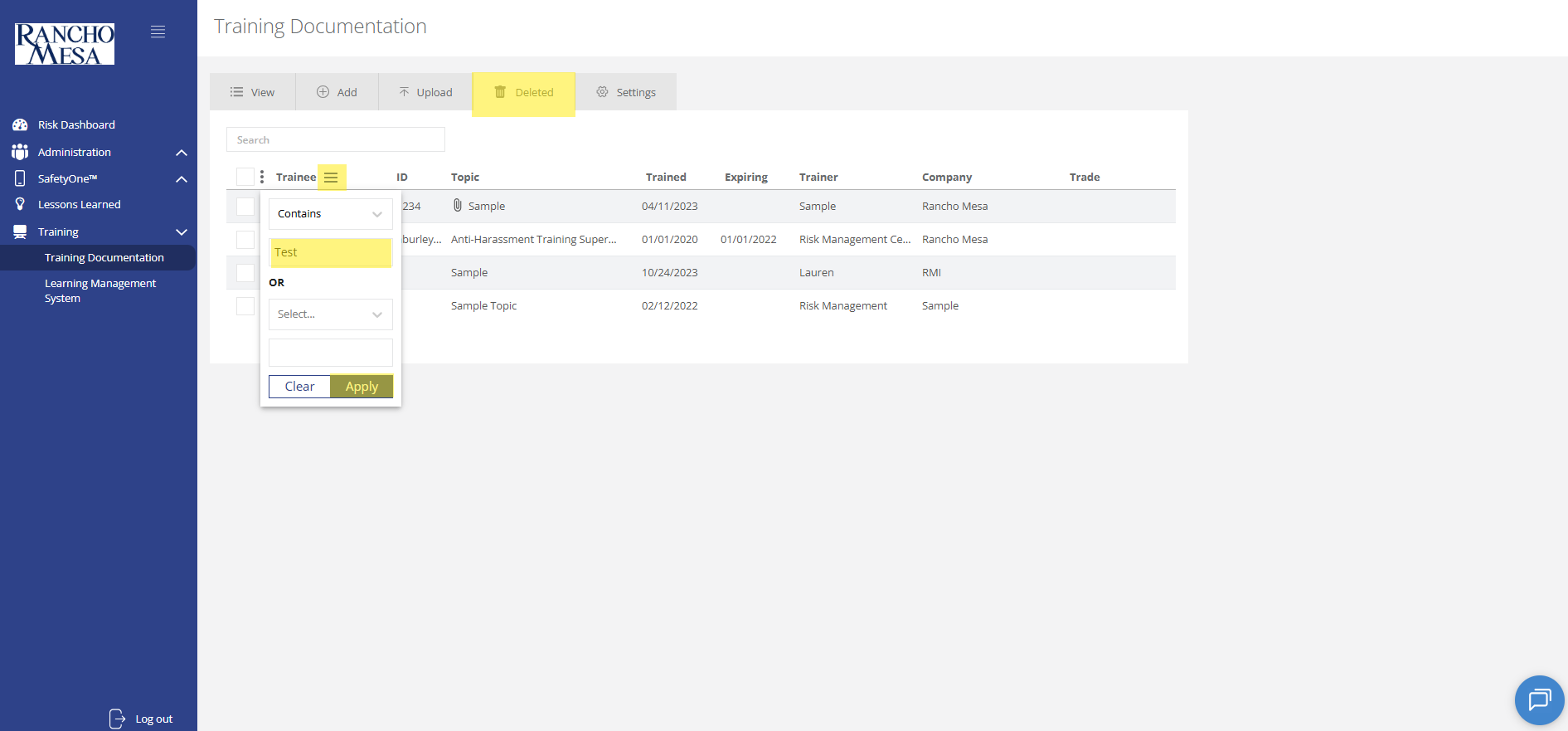
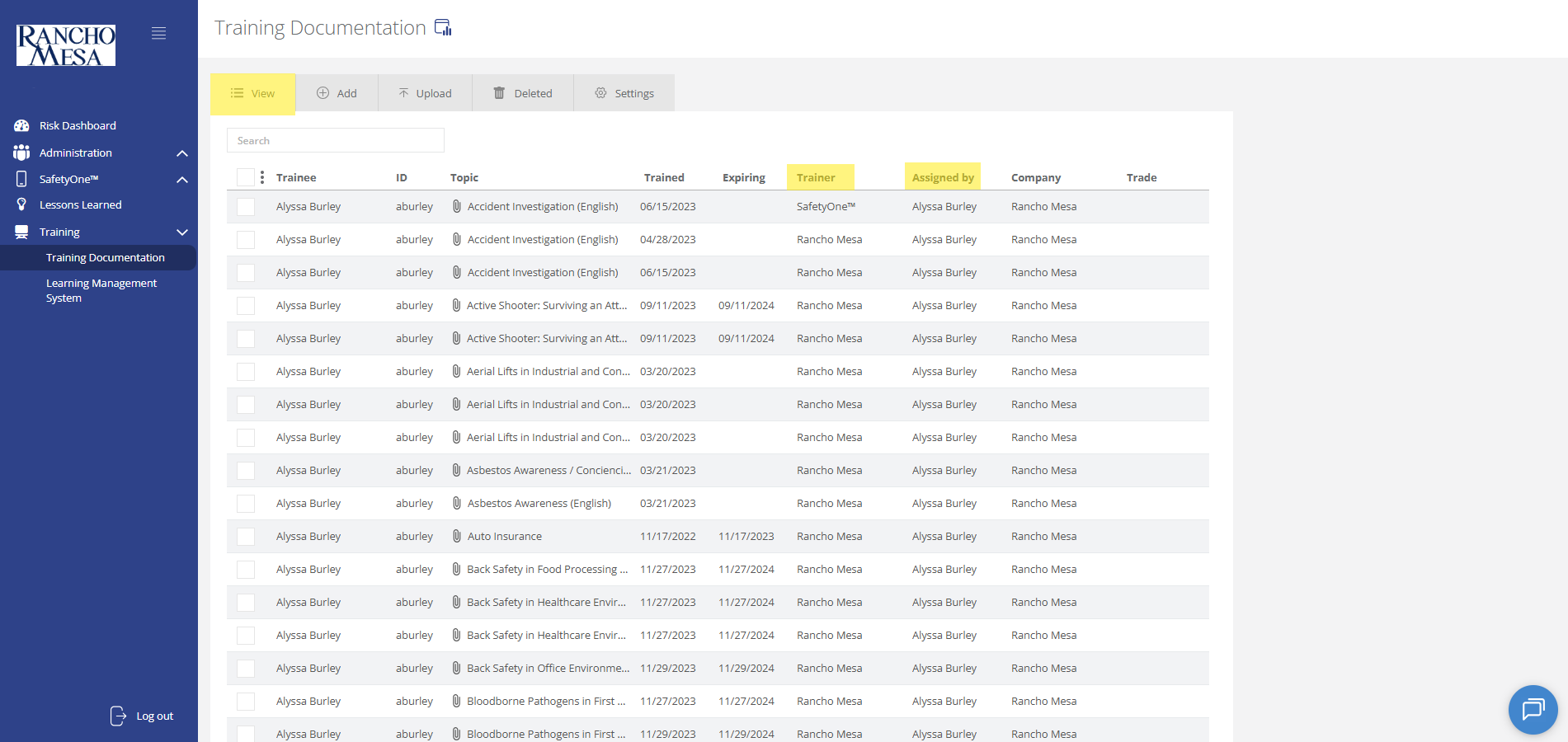
To view training documentation, click on the “Training” section in the navigation panel. Then, click on “Training Documentation.”
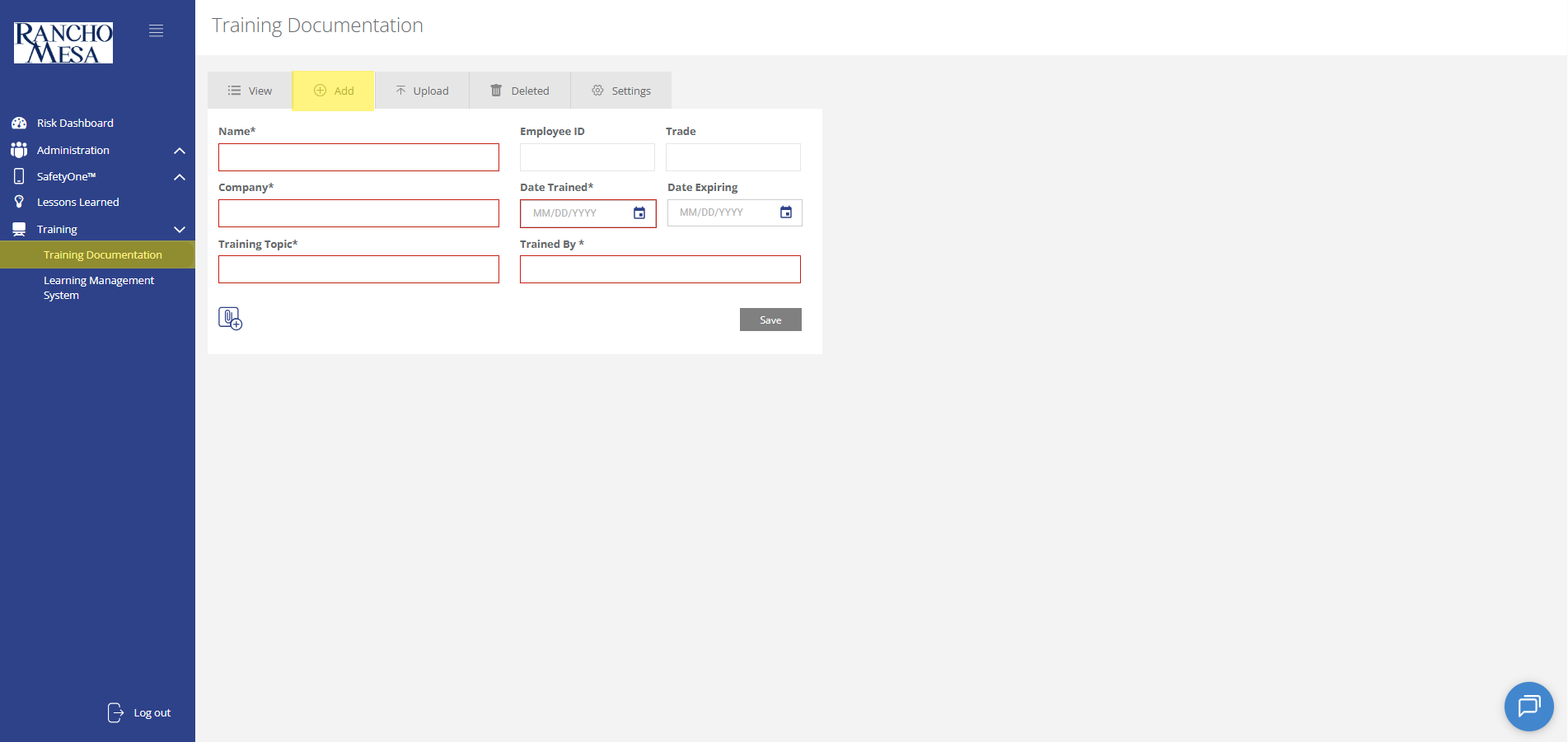
Administrators can use the SafetyOne™ website to document in-person and third-party employee training.
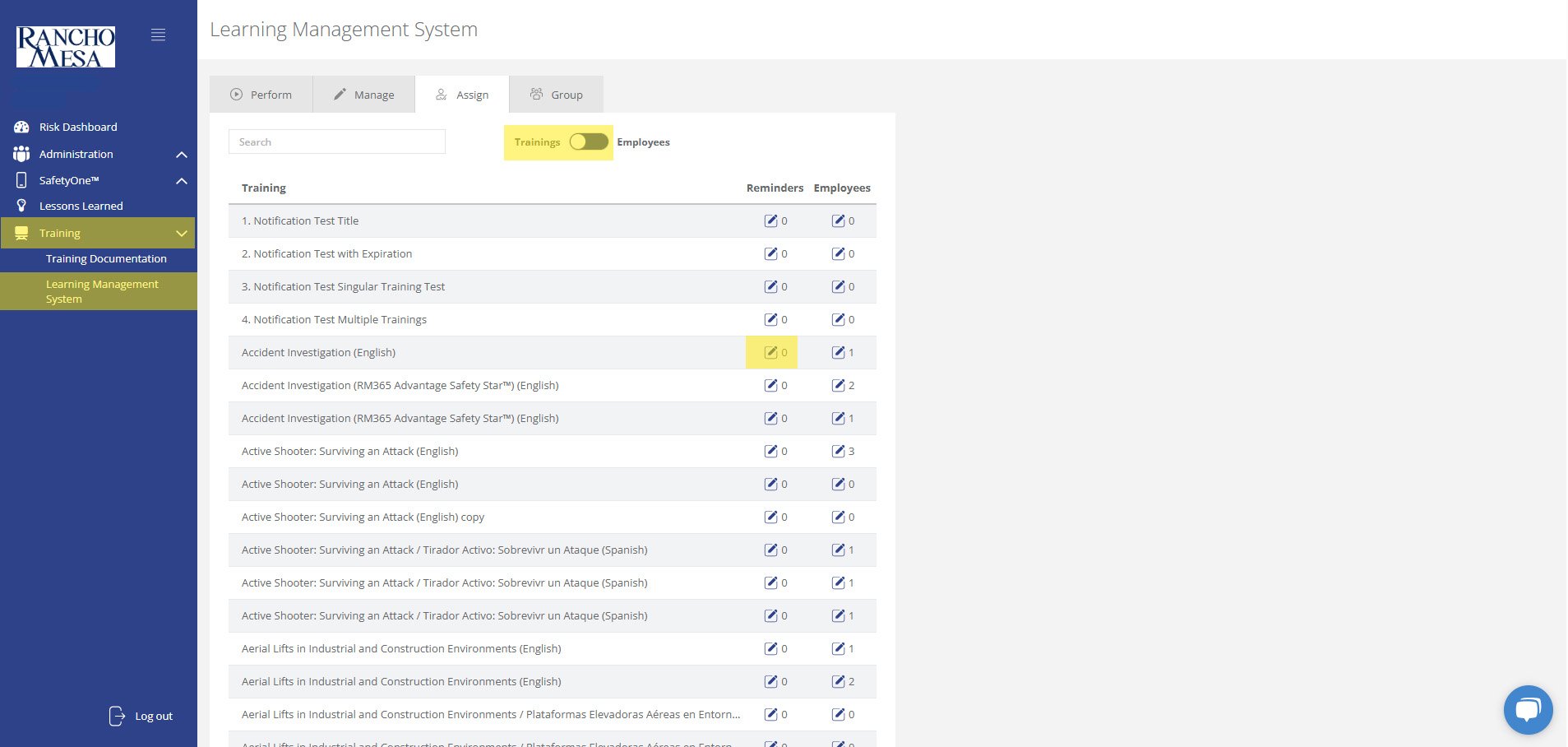
Administrators can schedule training reminder emails through the SafetyOne™ website to help keep employees up-to-date with their necessary safety trainings.
The driver-specific toolbox talks are available in your SafetyOne™ account. To make them accessible via the mobile app, you will need to assign them to a project/crew.
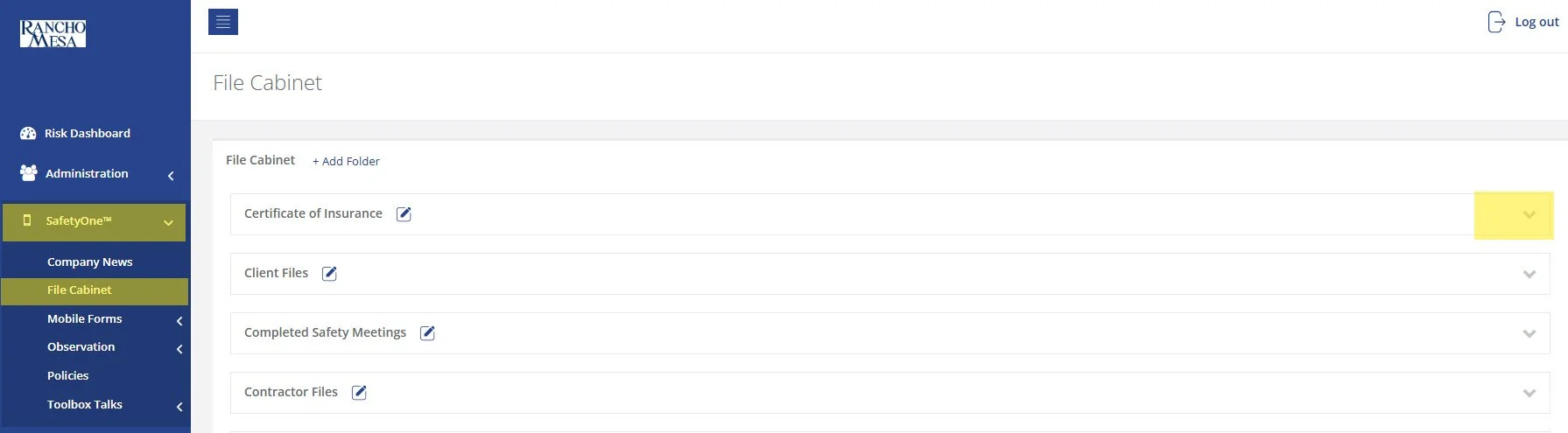
While SafetyOne™ currently does not generate QR codes for documents stored within the file cabinet, QR codes can be created using a third-party generator using the document’s URL.
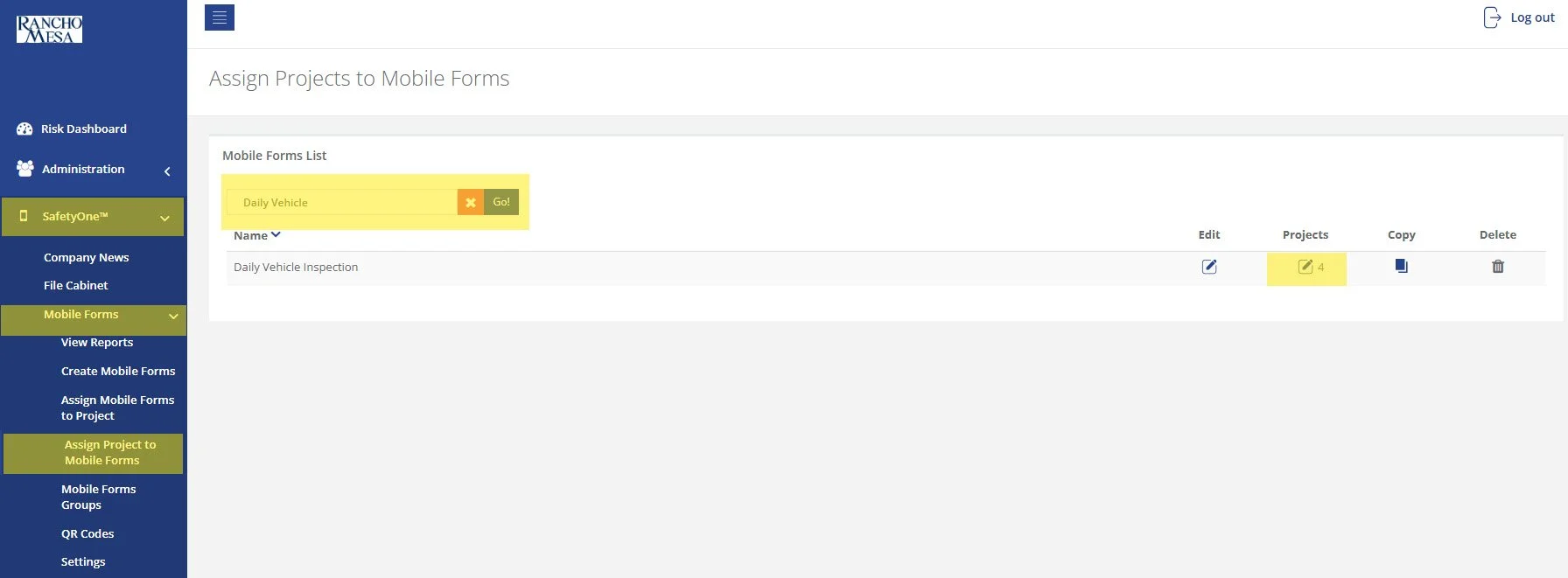
SafetyOne™ administrators can generate QR codes for mobile forms. This is useful when non-mobile app users need to complete a mobile form.
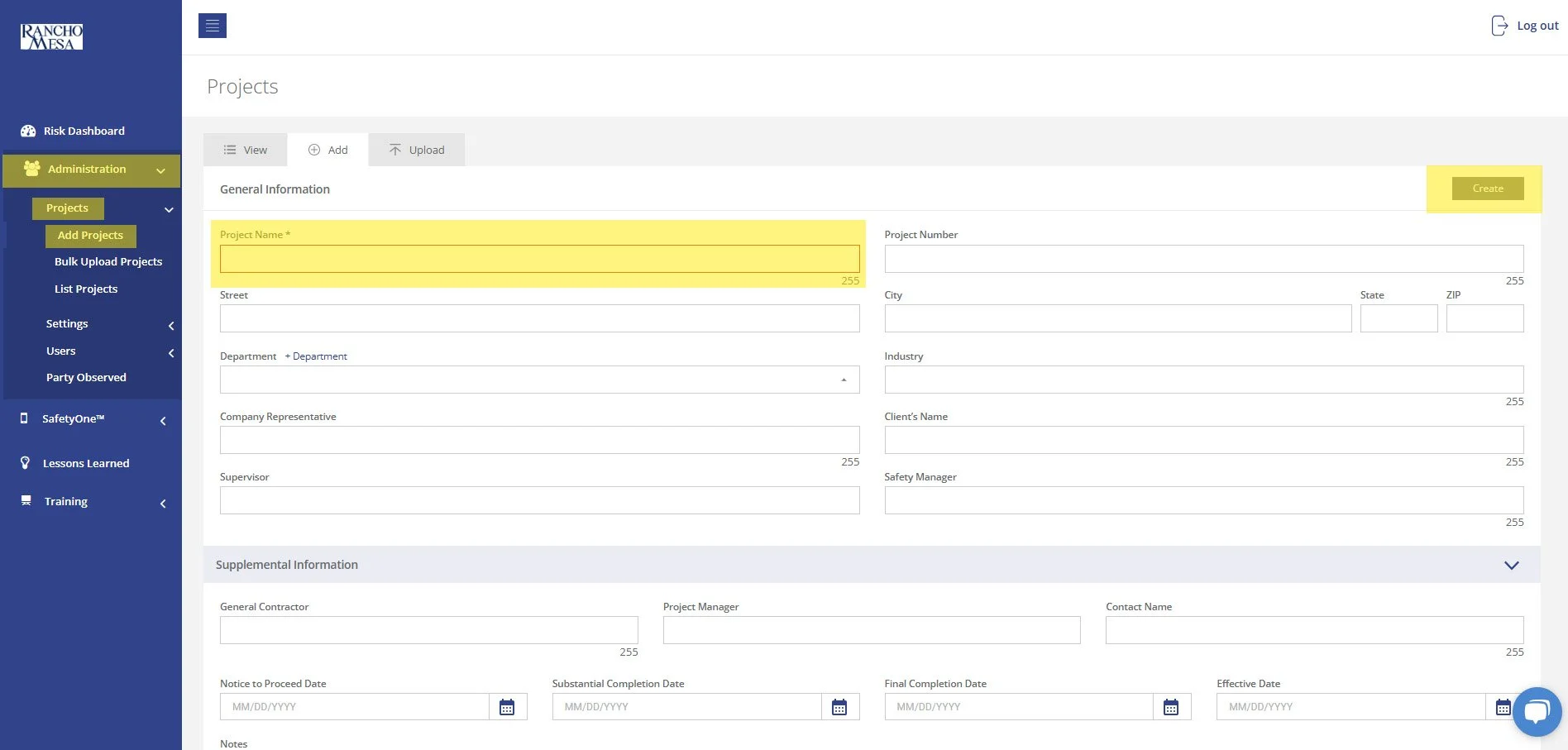
To begin setting up your SafetyOne™ account to utilize Toolbox Talks in the mobile app, as an Administrator, log in to your SafetyOne website account.
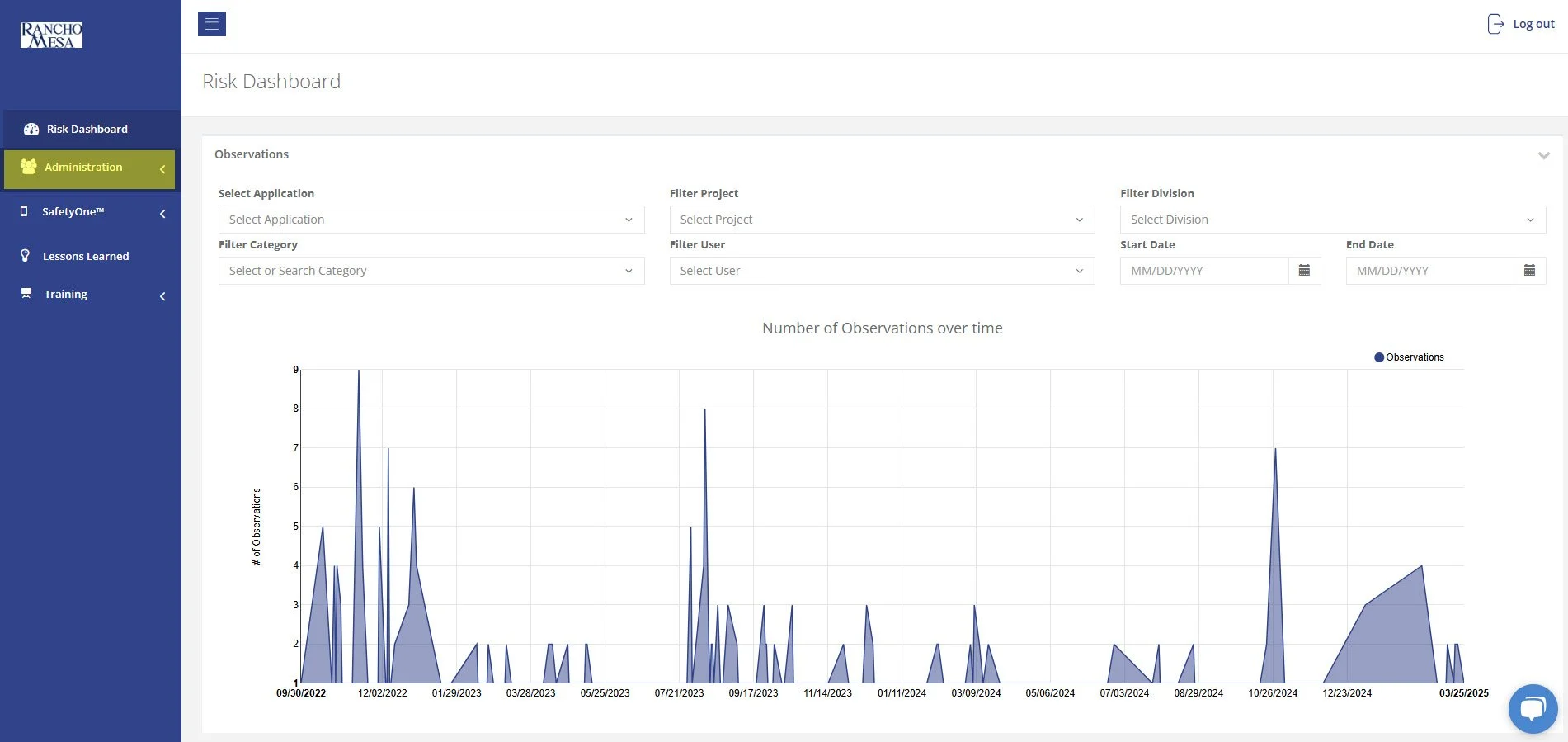
In order to allow Supervisors to add new users to SafetyOne™, an Administrator will need to turn on Custom Permissions.
A person with a Supervisor user license is someone who manages one or more projects, crews, facilities, or programs. The Supervisor role might also be used by a safety manager or project manager in a construction company, a facility director in a home health care company, or a program director in a non-profit organization.