

Industry News

New State Overview Screen in the RM365 HRAdvantage™ Portal
Author, Jadyn Brandt, Client Communications Coordinator, Rancho Mesa Insurance Services, Inc.
Staying in compliance with state laws is key to an organization’s success. Rancho Mesa’s RM365 HRAdvantage™ portal is making compliance easier for business owners and HR managers through the new State Overview screen.
Author, Jadyn Brandt, Client Communications Coordinator, Rancho Mesa Insurance Services, Inc.
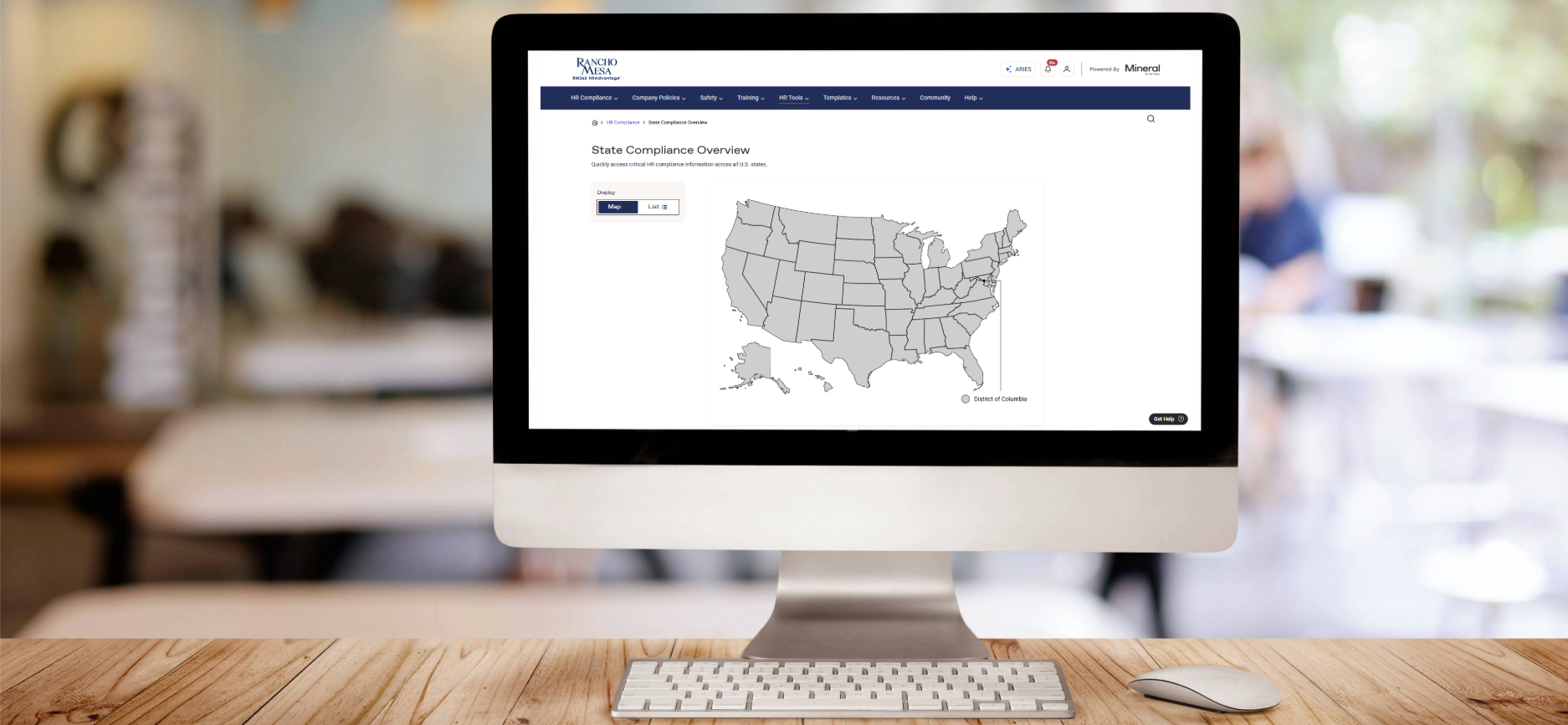
Staying in compliance with state laws is key to an organization’s success. Rancho Mesa’s RM365 HRAdvantage™ portal is making compliance easier for business owners and HR managers through the new State Overview screen.
Accessing the State Overview Screen
The State Overview screen can be found under the HR Compliance tab.
Hover over the “HR Compliance” in the navigation bar and click on “State Overviews.”
You will then see an interactive map of the United States. On the left side of the screen, you can switch between a Map and a List view.
Select the state you want to view an overview of.
State Overview
Select a state from the map or list to view the overview.
The overview includes:
State minimum wage rates and laws
Key laws specific to the state you have selected
Toolkits for hiring, recruiting, and termination
Recent law alerts and updates
List of all state-specific laws available in the portal library
For questions about accessing State Overviews or other HR portal resources, contact your client technology team member.